
Pelco
- Vessels
- Engines / equipment
- Propulsion engines
- Allen Diesel
- B&W Alpha
- Pegaso Guascor
- MTU
- Iveco Aifo
- Deutz
- Detroit Diesel
- DAF
- Volvo Penta
- Gardner
- Cummins
- Valmet
- MWM
- Bergen Diesel
- Callesen Diesel
- Grenaa Motor Fabrik
- MAN B&W
- Hyundai
- Caterpillar
- Lister-Blackstone
- MaK
- GMT
- Mirrlees Blackstone
- Nohab Polar
- Paxman Diesel
- MAN
- Mitsubishi
- Scania
- Stork Werkspoor
- Wärtsilä
- Stork Wärtsilä
- Yanmar marine engines
- Mercedes marine diesel
- Wizeman marine diesel
- EMD
- Baudouin
- Normo Diesel
- Sulzer
- Ruston
- Ford
- INDUSTRIE
- Crepelle
- WÄRTSILÄ WICHMANN 28
- MWM DITER
- SKL
- Buckau Wolf
- Isuzu
- NOGVA
- John Deere
- marine gearbox
- RAPP FJELLHAMAR
- VOLDA
- FINNØY
- LIAAEN
- MEKANORD
- Lohmann & Stolterfoht
- HYTEK
- KUYPERS Gears
- GUASCOR
- Twin Disc
- Pay & Brinck
- B&W Alpha
- REINTJES
- Ulstein propeller
- Masson Marine
- MIRRLEES BLACKSTONE
- HJELSET
- Heimdal Propulsion
- RENK
- Norgear - Kumera
- Zamech
- Fernholdt & Giertsen
- ZF Marine
- Lister Blackstone
- Rhenania
- Nico
- Engrenages et Reducteurs
- TACKE
- Capitol marine gear
- Korsør
- Callesen gear coupling
- Nogva Heimdal
- SCG Self-Changing Gears
- Generators
- Air compressor
- Offshore - installation - decommission - salvage
- Hydraulic pump
- Water Pumps
- Three Screw Pumps
- Heat exchangers
- Electric motors
- Generator sets
- Ship interior
- Oily water separator
- Transformers
- ELECTRONIC EQUIPMENT
- Hydraulic powerpacks
- Engine Control Systems
- Oil separator
- Governor / actuator
- Deck equipment
- Filter
- Hydraulic motor
- Cooling compressors
- TURBO
- Propeller equipent
- Propulsion engines
- Spare parts
- MTU original spare parts
- Detroit spare parts
- MAN B&W spare parts
- Mak spare parts
- Nohab Polar spare parts
- GMT spare parts
- Deutz spare parts
- B&W Alpha spare parts
- MWM spareparts
- Scania spare parts
- Callesen spare parts
- Electric and Electronic spare parts
- MAR-EL
- Kongsberg Autronica
- Robertson
- Hydraulic Brattvaag
- Ulstein Marine
- PHONTEC
- Penny & Giles
- Elmatic
- AUTO-MASKIN
- HELITRON
- Bosch
- Paab
- Mean well
- Pikotec OY
- Praxis Automation
- Brunvoll
- Saia-Burgess
- Rolls-Royce
- Kongsberg
- Wartsila
- Danica Supply
- Kongsberg KaMeWa
- JRCS
- Emerson
- Vickers
- Polyamp
- KARISMAR
- NORSEligth
- Various electronic spares
- IDEC
- Siemens
- CAREL
- Rexroth
- Leroy-Somer
- Wika
- Phoenix Contact
- Terasaki
- JRC
- Hirschmann
- Beijer Electronics
- ABB
- DEIF
- MGV Stromversorgungen
- Lilley & Gillie
- Fire alarm systems
- TOKIMEC
- SYSLOGIC EUROLOG
- F. K. SMITH AS
- MARINEX
- Intelligent Instrumentation
- Semikron Danfoss
- Vicor Corporation
- Mitsubishi
- O.Øverland AS
- Boolean
- SCHOTTEL
- RHEINTACHO
- SMART Automation
- JUNG-A MARINE
- Lilaas
- lilaas
- Moxa
- TT Electronics
- Merlin Gerin
- Dräger
- SELCO
- TERASAKI
- Denison Hydraulics
- Fuji Electric
- PEP Modular Computers
- Pelco
- FSG Fernsteuergeräte
- Raytheon
- Wago
- STK
- PR Electronics
- danlamp
- Bergen Diesel / ROLLS-ROYCE MARINE Orignial spares
- Volvo spare parts
- Gardner spare parts
- Ruston spares
- L’Orange
- Normo spare parts
- MWM DITER
- Sulzer spares
- Wärtsilä spares
- Yanmar spare parts
- Hatteland Display
- PISTON RINGS
- Roller bearings
- Wichmann spare parts
- MAN Spare Parts
- AMOT
- TURBO
- Subsea noise mitigation
Viewed products
-

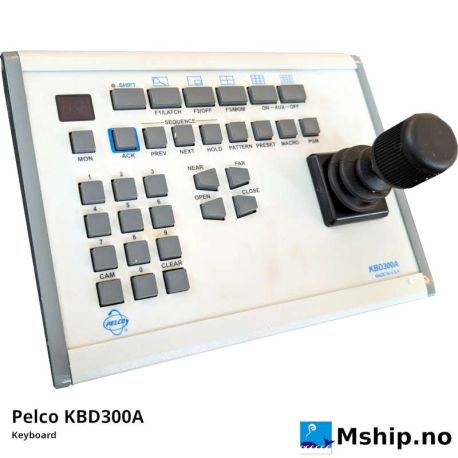
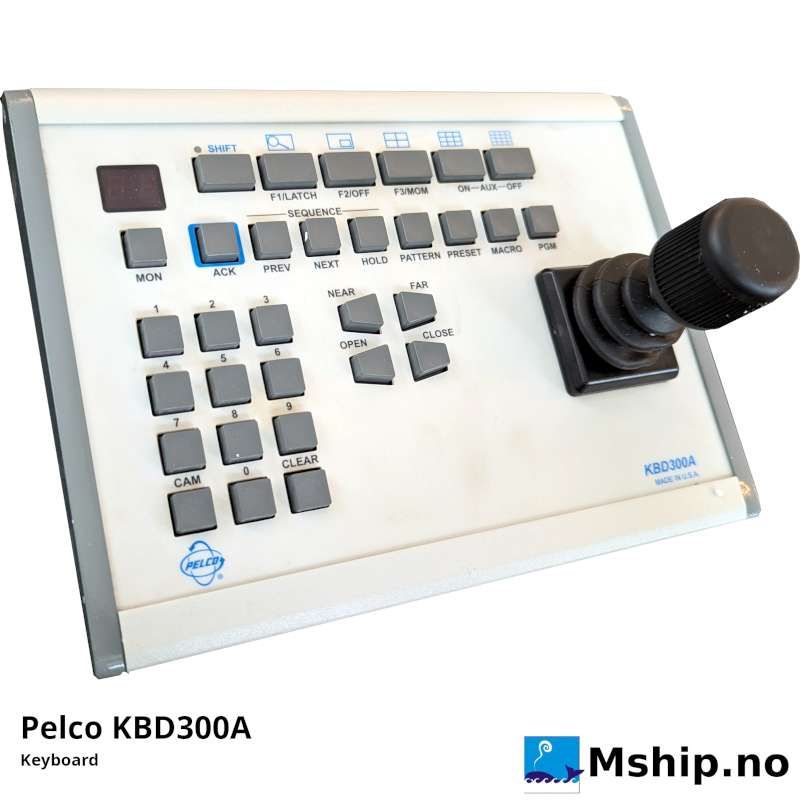
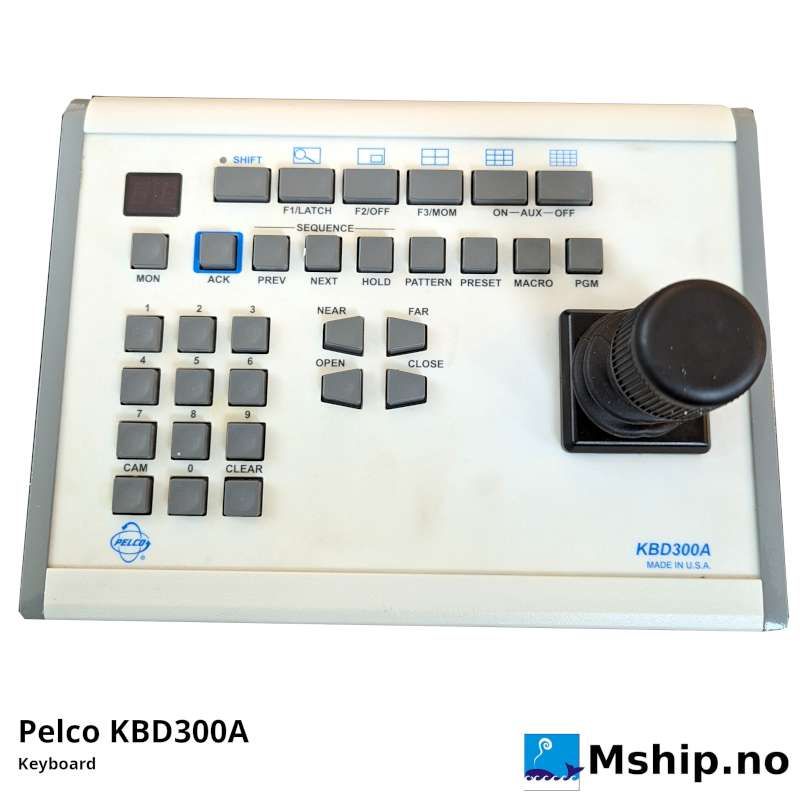
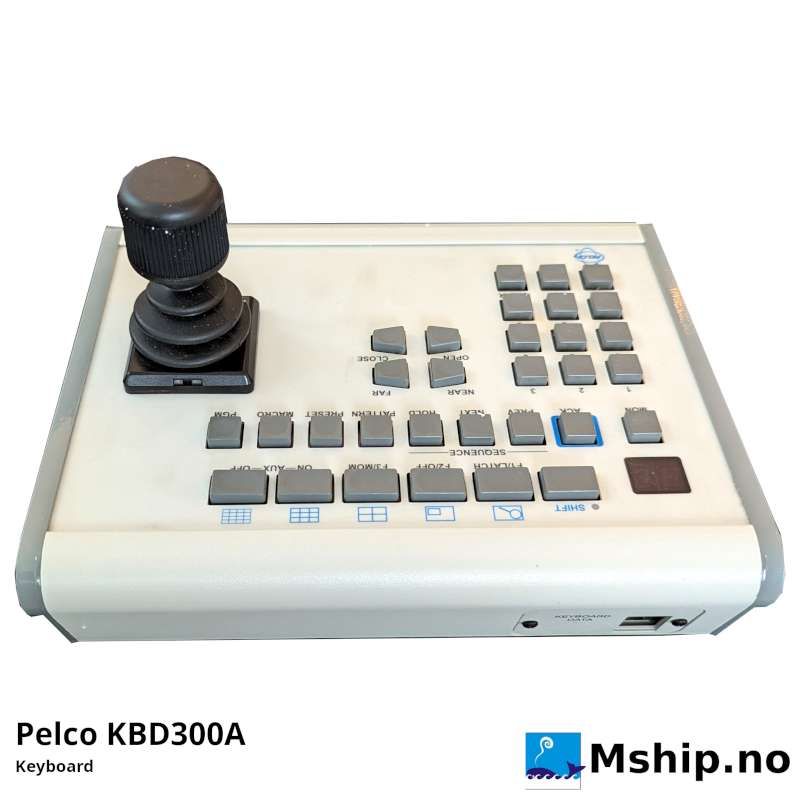
Pelco KBD300A Keyboard
Pelco KBD300A Keyboard
New products
-

MAS Safety System MAS G025A
MAS Safety SystemMAS G025A
-

Wärtsilä 200 Fuel Filter Element
Wärtsilä 200 Fuel Filter ElementPart Nr.: 470 0001
-

Caterpillar Fuel Injector OR-2921
Caterpillar Fuel InjectorOR-2921 - 848551
-

ZF Gearbox Type ZF360
ZF Gearbox Type ZF360Gear Ratio: 1.045
-

ZF Gearbox Type ZF360
ZF Gearbox Type ZF360Gear Ratio: 1.045
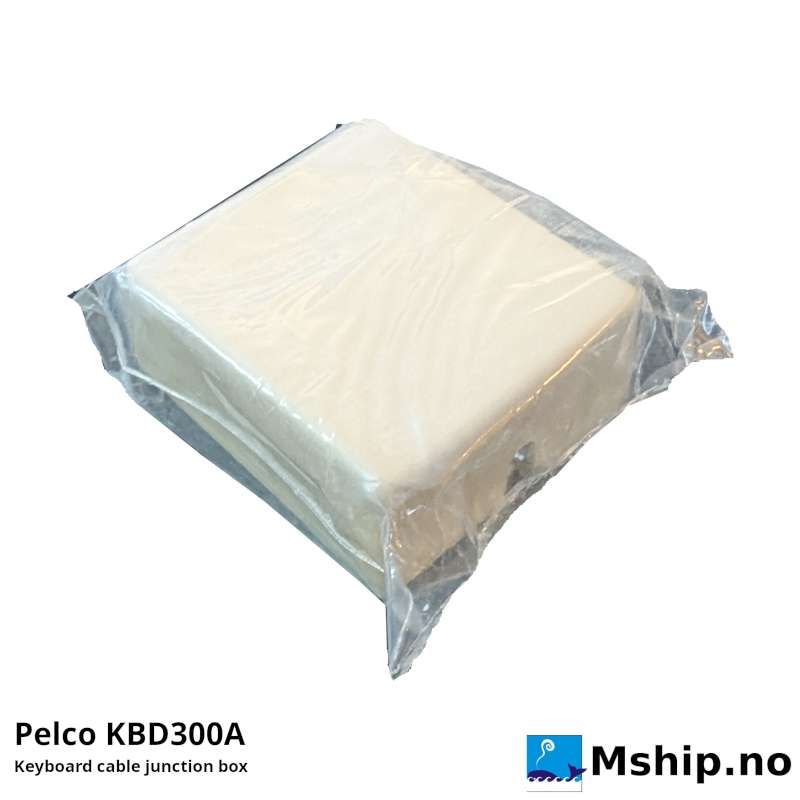
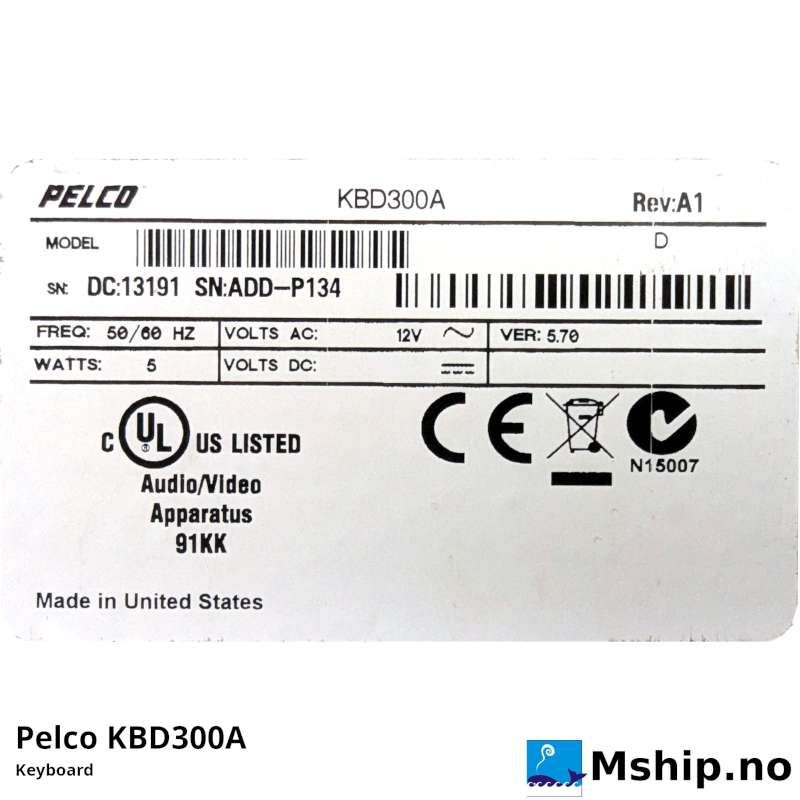

Data sheet
| Manufacturer | PELCO |
| Model | KBD300A |
| Performance specification | New keyboard - without box |
| Volt | 2v Volt AC and DC |
More info
KBD300A Keyboard
FULL-FUNCTIONALITY, FIXED/VARIABLE SPEED, PTZ CONTROL
Desktop keyboard with full switching and
programming capabilities, plus joystick
control of PTZ functions
Product Features
- Keyboard to Control:
-CM6700/CM6800/CM9760-SAT Matrix Switchers
– Genex® Multiplexer When Used with CM6700 and CM6800
– Up to 16 Receivers Directly from Keyboard (such as Spectra ®,
Esprit®, and ExSiteTM)
- Automatically Recognizes Modes of Operation
- Joystick Control of PTZ Functions
- Preset Position and Pattern Control
- Auxiliary Operation
- Auto/Random/Frame Scanning
- Programming of CM6700/CM6800/CM9760-SAT/CM9760-MDA
The KBD300A keyboard is a full-function, desktop keyboard control-
ler that can be used in a variety of applications
ler that can be used in a variety of applications
A barrel-type joystick provides precise pan and tilt control of fixed
speed and variable speed receivers. Twisting the joystick clockwise
or counterclockwise zooms the lens in or out.
speed and variable speed receivers. Twisting the joystick clockwise
or counterclockwise zooms the lens in or out.
Keys select cameras and monitors; operate presets, patterns, auxil-
iaries, and sequences; open and close the iris; zoom and focus the
lens; and start and stop auto, frame, and random scanning.
iaries, and sequences; open and close the iris; zoom and focus the
lens; and start and stop auto, frame, and random scanning.
The keyboard can be used in three modes of operation: CM6700
Mode, CM6800 Mode, and Direct Mode. The KBD300A keyboard
automatically recognizes the mode.
Mode, CM6800 Mode, and Direct Mode. The KBD300A keyboard
automatically recognizes the mode.
In the first two modes, the keyboard is plugged into a CM6700,
CM6800, or CM9760-SAT switcher/controller unit (SCU) and is used
to program and operate the SCU. The maximum number of keyboards
per unit is eight (CM6700 and CM6800-32X6), sixteen (CM6800-
48X8, CM6800E-48X8, and CM6800-96X16) or four (CM9760-SAT). In
CM6700/CM6800 applications, the keyboard can control cameras
connected directly to the SCU or through an MX4000 Series Genex
multiplexer.
CM6800, or CM9760-SAT switcher/controller unit (SCU) and is used
to program and operate the SCU. The maximum number of keyboards
per unit is eight (CM6700 and CM6800-32X6), sixteen (CM6800-
48X8, CM6800E-48X8, and CM6800-96X16) or four (CM9760-SAT). In
CM6700/CM6800 applications, the keyboard can control cameras
connected directly to the SCU or through an MX4000 Series Genex
multiplexer.
If you do not need all the features of the CM6700/CM6800 SCU, but
want the same keyboard functionality, then one keyboard can be
wired directly to camera receivers in Direct Mode (KBDKIT required).
want the same keyboard functionality, then one keyboard can be
wired directly to camera receivers in Direct Mode (KBDKIT required).